
Elliott Wave Theory
Technical Analysis Indicators & Strategies • 13 min

Technical Analysis Indicators & Strategies
Intermediate • 15 min
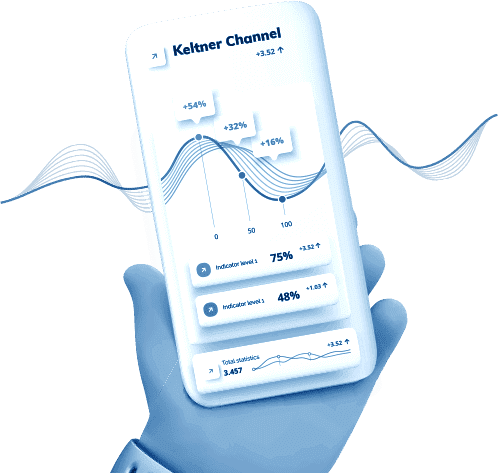
The Keltner Channel is a volatility-based technical analysis indicator that helps in defining price trends as well as pinpointing overbought and oversold conditions in the market. Chester Keltner, a famous commodity trader, introduced the indicator in the 1960s, but the modern-day version (that includes the ATR, average true range) was updated by Linda Raschke in the 1980s. The Keltner Channel is part of volatility-based envelope indicators. A comparable indicator is the popular Bollinger Bands. However, while both are volatility-based channels, there are some key differences. With Bollinger Bands, the width of the channel is determined by standard deviation, whereas the ATR is the determinant with Keltner Channels. Functionally, this means that Bollinger Bands react faster to price changes, making it more prone to false signals during short-lived spikes. On the other hand, the Keltner Channel is more smoothed out and is able to provide definitive confluence signals.
The Keltner Channel has evolved over time, and the version you see on most modern platforms is not identical to the earliest description.
The original concept used a moving average of typical price as the centre line, with channel boundaries derived from a form of average daily range.
The aim was straightforward: create a price envelope that expands and contracts with market movement so traders can judge whether the price is behaving “normally” or moving with unusual strength.
The most widely used modern variation places a 20-period EMA in the middle, then plots the upper and lower bands using ATR (Average True Range) × a multiplier (often around 2.0–2.5).
In practice, this tends to produce a smoother, volatility-aware channel that many traders find easier to read across different markets and timeframes.
When traders discuss “Keltner Channels”, they’re usually referring to the EMA + ATR version.
Knowing which version your platform is using (and how the bands are built) helps you avoid confusion when you compare settings, signals, or chart examples from different sources.
To become comfortable with Keltner Channels without pressure, open a demo account and apply the indicator to several different instruments and timeframes to observe how the channel width adjusts to volatility.
The Keltner Channel indicator has 3 channel lines: middle line, upper line and lower line. The lines are calculated as follows:
Upper line = EMA + (ATR x multiplier)
Middle line = EMA
Lower line = EMA – (ATR x multiplier)
The EMA (exponential moving average) gives more weight to recent price changes than a simple moving average. All the above parameters can be adjusted according to the needs of individual traders. The default EMA is the 20-day period: the longer the EMA, the more lagging the indicator will be; the shorter the EMA, the faster the indicator will react to price changes. In addition, the default multiplier is 2: the bigger the multiplier, the wider the channel; the smaller the multiplier, the narrower the channel. The incorporation of the ATR ensures that the Keltner Channel is able to provide a comprehensive volatility picture of an underlying asset’s price.
Keltner Channels are simple to apply, but the inputs materially change what you see on the chart.
The goal is not to find a “perfect” setting — it’s to match the channel’s responsiveness to your market, timeframe, and trading style.
A shorter EMA (e.g., 10–14) tracks price more closely and reacts faster, which can suit short-term trading but may increase whipsaws.
A longer EMA (e.g., 30–50) smooths noise and better reflects broader trend structure, which can suit swing frameworks but may lag.
A shorter ATR period makes the bands react quickly to volatility spikes, which can be useful in fast markets but may lead to frequent channel expansion/contraction.
A longer ATR period smooths volatility changes, which can reduce false “breakout-looking” moves caused by short-lived volatility bursts.
This is the most visible sensitivity lever:
Before you use a setting, validate it visually against recent price behaviour:
If your channel is tagged constantly in normal conditions, it is likely too narrow for that market/timeframe. If it is rarely tagged even during strong moves, it may be too wide (or too slow).
Apply two or three setting variants on the same chart (e.g., narrower vs wider multiplier) in a demo environment and compare how often band interactions lead to follow-through versus whipsaws.
The Keltner Channel delivers graphical price signals that can easily be deciphered by traders. The slope of the channel denotes the price trend in the market. A rising channel implies that an uptrend is in place; a falling channel indicates a downtrend; whereas a flat or sideways channel implies a ranging market. In an uptrend, a momentous price surge will lead to a price continuously hitting the upper line, or even breaking it. When the channel is still rising but the price starts hitting the lower line, it is a signal that the uptrend is losing momentum. This is the same with a falling channel. For a sideways channel, the upper line and lower line will act as resistance and support zones, respectively. When the channel is sideways, traders also watch out for potential price breakouts.
Keltner Channels can support very different styles of trading, but only when you match the approach to the market regime.
The same “band touch” can mean strength in a trend — or noise in a range.
In a healthy trend, the price may spend extended periods near one band. Traders often use the channel to:
Practical mindset: in trends, band interaction often reflects momentum, not “overbought/oversold”.
In range-bound markets, price may oscillate around the centre line and tag both bands frequently. Here, traders sometimes use the channel to:
Key caveat: mean-reversion with Keltner Channels tends to break down when volatility expands or when a range transitions into a trend. Without a regime check, it can become a whipsaw machine.
A simple decision rule:
The Keltner Channel is a robust indicator, but it can be complemented by other indicators to provide definitive confluences. One of the best complimentary indicators is the ADX (average directional index), which will help qualify momentous trends and will help identify false breakouts. In ranging markets, the strategy is to buy at support and sell at resistance. But to only trade high probability signals, traders can combine the Keltner Channel with oscillators, such as Stochastics and RSI, that deliver overbought and oversold signals.
Keltner Channels work best when you first answer a basic question: is the market trending or ranging? A simple regime filter can reduce “false breakouts”, chop-driven entries, and the temptation to treat every band touch as meaningful.
Below are two lightweight filters that pair well with Keltner Channels. You can use either one on its own or combine them for a stricter framework.
How it helps: ADX is commonly used as a proxy for trend strength. When trend strength is higher, Keltner band interactions tend to behave more like momentum confirmation. When it’s low, band tags are more likely to revert and whipsaw.
How to apply (practically):
Why it matters: it prevents you from applying “trend logic” in a market that is behaving like a range.
How it helps: many false signals occur when you trade Keltner interactions against the dominant higher-timeframe direction. A simple bias filter can keep your trades aligned with the broader structure.
How to apply (practically):
Why it matters: it reduces noise-driven entries that look valid on a low timeframe but fail in the context of larger flows.
Keltner Channels are most useful when they do more than “suggest direction”. They can also provide structure for risk placement: where a trade idea is invalidated, where you might reduce risk, and how you might trail a move.
Below are common, practical examples. They are not the only valid approaches, but they show how to anchor risk decisions to the channel rather than emotion.
Context: uptrend behaviour; price pulls back towards the centre line (EMA) and stabilises.
Risk placement options:
Exit/trailing ideas:
Why it works: you’re using the channel to define the difference between a normal pullback and a breakdown in trend structure.
Context: strong momentum; repeated closes near/above the upper band.
Risk placement options:
Exit/trailing ideas:
Key caution: breakouts that occur in choppy, low-trend conditions tend to fail more often; this is where your regime filters matter.
Context: range behaviour; frequent centre-line crossing and band tagging.
Risk placement options:
Exit idea:
Key caution: if volatility expands and price starts “walking” a band, the range assumption is likely breaking down.
Whatever entry logic you use, define risk so it reflects the regime:
If you cannot define invalidation clearly, it’s usually a sign the setup is not well-formed.
Practise placing stop and exit levels using the channel (centre line and bands) on a demo chart. Your goal is consistency: the same conditions should lead to similar risk decisions.
Keltner Channels are widely available on most charting platforms, but small implementation differences can lead to confusion—especially when you compare settings across tools or follow an example from another source.
If your platform uses a different variation than the one described in an article or video, you can end up “trading the wrong signal” without realising it. A quick settings check prevents that mismatch.
Most MT4 and MT5 (MetaTrader) trading platforms do not have the powerful Keltner Channel built-in. The Keltner Channel is, however, available at AvaTrade, and here is why you should trade with this regulated and award-winning broker:
Not inherently. Keltner Channels are typically ATR-based (volatility via true range), while Bollinger Bands are usually standard-deviation-based (volatility via dispersion). Each can work, but both require context and regime awareness to reduce whipsaws.
There is no universal “best”. Settings should reflect your timeframe and how volatile the instrument is. If you see constant band tagging in normal conditions, your channel is likely too narrow; if band interactions are rare even during strong moves, it may be too wide or too slow.
Use a regime filter. If the market is choppy (frequent centre-line crossing), treat band interactions as lower quality and reduce trade frequency. Combining a trend-strength check (such as ADX) with a higher-timeframe bias often improves selectivity.
They can support both, but the role changes. Intraday use typically requires stricter filters due to noise, while swing use often benefits from smoother settings and a focus on trend structure around the centre line.
The indicator is market-agnostic, but the behaviour depends on liquidity, volatility, and trading hours. You may need to adjust the ATR multiplier and be more cautious around high-impact events where volatility can expand abruptly.
Open your trading account at AvaTrade
or try our risk-free demo account!
** Disclaimer – While due research has been undertaken to compile the above content, it remains an informational and educational piece only. None of the content provided constitutes any form of investment advice.
Technical Analysis Indicators & Strategies • 13 min

Technical Analysis Indicators & Strategies • 11 min
Technical Analysis Indicators & Strategies • 13 min

Technical Analysis Indicators & Strategies • 12 min

Technical Analysis Indicators & Strategies • 15 min

Technical Analysis Indicators & Strategies • 10 min

Technical Analysis Indicators & Strategies • 11 min

Technical Analysis Indicators & Strategies • 15 min

Technical Analysis Indicators & Strategies • 13 min

Technical Analysis Indicators & Strategies • 15 min

Technical Analysis Indicators & Strategies • 13 min
Technical Analysis Indicators & Strategies • 12 min

Technical Analysis Indicators & Strategies • 16 min

Technical Analysis Indicators & Strategies • 13 min

Technical Analysis Indicators & Strategies • 20 min

Technical Analysis Indicators & Strategies • 10 min

Technical Analysis Indicators & Strategies • 13 min

Technical Analysis Indicators & Strategies • 18 min

Technical Analysis Indicators & Strategies • 8 min

Technical Analysis Indicators & Strategies • 12 min